
Toolbox
*
Toolbox *
Free Beat Makers and Music Tools for the Classroom
Make beats online for free. The Building Beats Toolbox collects 100+ beat makers and music tools that run right in a web browser, so they work on school Chromebooks with nothing to download. Use the filter to find tools for music production, DJing, podcasting and music coding, sorted by age group and device. Our teaching artists use these tools every day in New York City classrooms!

Roland50 Studio
Roland50 Studio is a free, browser-based music platform offering virtual versions of iconic Roland instruments like the TR-808 drum machine, TB-303 bass synth, and SH-101 synthesizer. It enables users—beginners and pros alike—to create, record, and share music easily without downloads or installations, fostering accessible, hands-on music making

Podbean
Podbean’s Audio Recorder lets you create polished podcasts anywhere—no studio needed! Record solo or with up to 8 guests, edit with ease, and clean audio using AI. Add music, intros, and outros, then publish instantly. It’s your all-in-one mobile podcast studio—perfect for creators ready to sound pro on the go.

Podcastle.AI
Podcastle.ai is a powerful web-based studio for creating podcasts, audiobooks, videos, and remote interviews. Users can record solo or up to 10 guests, edit with AI tools like Magic Dust, filler-word removal, and auto-leveling, transcribe/audio-to-text, and even clone voices for text-to-speech narration. Ideal for creators, educators, and teams.

Adobe- Animate from Audio
Adobe Express’s Animate from Audio feature lets you instantly animate a chosen character using your voice or any uploaded audio. Just record or upload a clip (up to two minutes), pick a character and background, and get a custom animated MP4—no animation skills required. Fun, creative storytelling made fast and easy!

Recursive Arts
Recursive Arts crafts delightful music tools and immersive audio experiences right in your browser. Their flagship Virtual Piano and Guitar apps let you play thousands of songs, explore scales, and record performances with MIDI support. SonicMaps offers location-based sound tours for immersive storytelling. Ideal for musicians, educators, and creative audio explorers.

Comm 64 Websynth
WebSID is a wildly creative browser-based chiptune synthesizer emulating the iconic Commodore 64 SID chip. Tap into retro sound via a visual tracker or piano-roll interface, sequence three-channel melodies, record, export, and connect MIDI. A nostalgic playground and powerful tool for sound designers, retro composers, and electronic adventurers.

Resonate
Resonate’s Voice Recorder is a web-based tool tailored for podcasters and remote interviewers. It offers multi-track, local browser recording of up to 10 participants, ensuring high-quality audio despite connection issues. Ideal for solo creators, teams, or educators, it simplifies recording, editing, and collaboration—all in-browser

TwistedWave
TwistedWave is a versatile and intuitive audio editor ideal for podcasts, music, ringtones, and more. With powerful tools for recording, mastering, and converting audio files, it streamlines production with a clean, user-friendly interface. Perfect for creators who value speed, simplicity, and professional-quality results in their audio workflow.

Koala Sampler
Koala Sampler is a powerful mobile and desktop sampler that turns any sound into creative beats. You can record or import up to 64 samples, then trim, pitch, pan, and sequence them with high-resolution editing. With 16 built-in effects, resampling, MIDI support, Ableton exports, and AI stem separation, it's a full-featured pocket studio.

cut.audio
cut.audio is a free set of browser-based audio tools: cut, trim, join, mix, convert, and record, all without uploading your files. Everything runs on your own device, with no signup, no ads, and no watermark. Handy for trimming a vocal take, joining podcast segments, or pulling a sample.
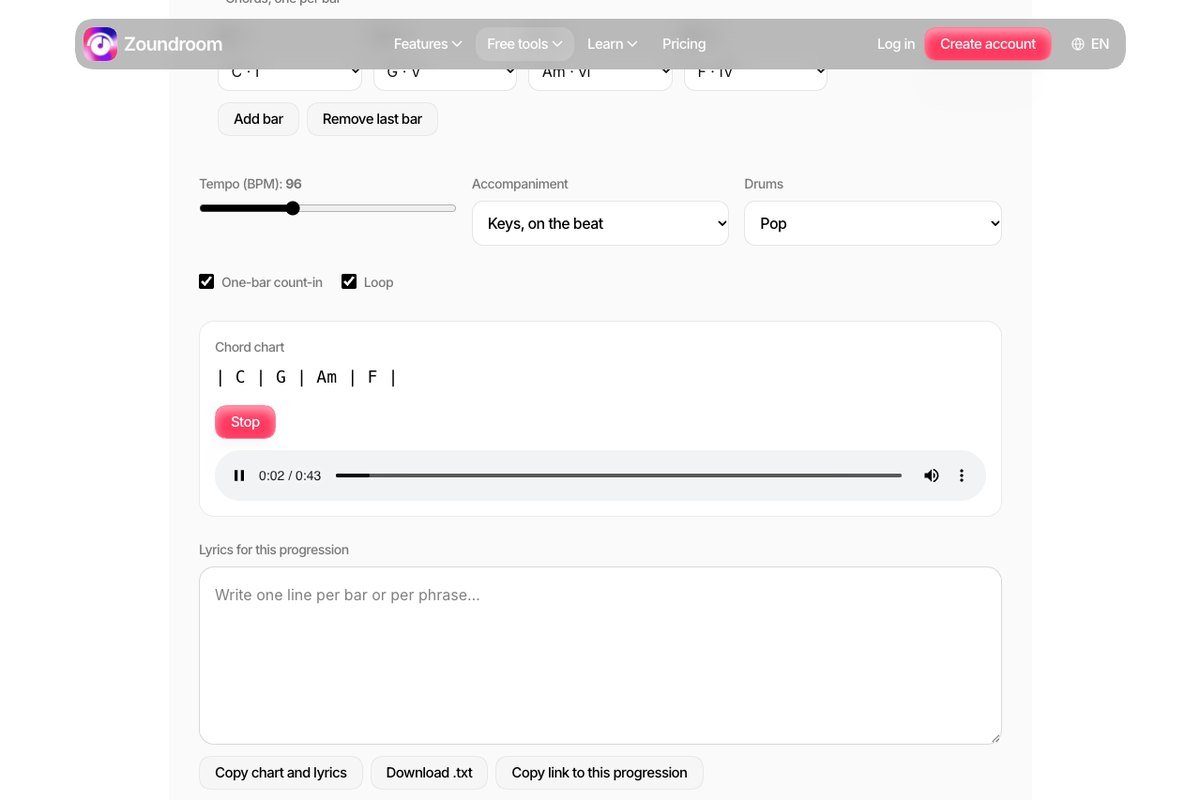
Zoundroom - Chord Progression Player
Zoundroom’s Chord Progression Player loops a chord progression in any key so you can write lyrics bar by bar over it and record a take.
Free. No account needed.
Beat maker FAQ
What is the best free beat maker online?
It depends on the student. For beginners, Chrome Music Lab (no account needed) and Incredibox's free browser version let you make a beat in minutes. For more control, BandLab and Splice's beat maker work in the browser for free. Soundtrap adds recording and collaboration for students 13 and older.
Can students make beats on a Chromebook?
Yes. Every tool tagged "web browser" runs in Chrome with nothing to install, which makes it a good fit for school Chromebooks.
Do these tools cost money or need an account?
Most tools in the Toolbox are free. Some, like Chrome Music Lab, need no account at all. Others ask for a free sign-up and have their own age rules, so check each tool's page before using it with students.
How can I teach beatmaking in my classroom?
Start with a browser tool and a short challenge, like making an 8-bar drum pattern. For lessons and professional development, see bbForTeachers. To bring a Building Beats teaching artist to your school, see bbWorkshops.